
Wayne Campbell has now been through PIM and ID Protection, so he’s clearly not going anywhere, and there’s still some of that P2 trial license runway left to burn through. This time the topic is Entitlement Management: specifically, access packages, which are Entra’s answer to “a contractor starts on Monday and needs a Team, a SharePoint site, and nothing else, and I don’t want to be the one manually removing their access 90 days from now because everyone forgot.”
It’s a genuinely common scenario. Contractors, in particular, tend to be short-term by design, so any administrative overhead around onboarding and offboarding them gets multiplied across however many you’re bringing in and out. The same logic applies to full-time staff too, but it’s especially relevant when access needs to be scoped to a specific window of time rather than “until someone remembers to remove it.”
The plan is simple: build a self-service access package that bundles a group (and by extension a SharePoint site) and a Teams membership, route requests through an approval step, apply a time-boxed expiration, and then actually watch access get pulled (not automatically due to time constraints, but still in practice) rather than just taking Microsoft’s word for it.
Setting the stage
Wayne plays the contractor again. For the scenario to make sense I first needed something for him to actually get access to, so I created a Project Atlas M365 group, not a security group, since that’s what automatically provisions a connected SharePoint site and Team. My own account ended up as the Owner for simplicity, however in a real deployment this would normally be a project manager or someone actually attached to the project, not IT.
Creating a catalog
Catalogs are containers for whatever resources an access package is allowed to grant. Scoping them per project (or per department, or however you want or need to slice it) avoids ending up with one sprawling catalog that nobody can reason about a year later.
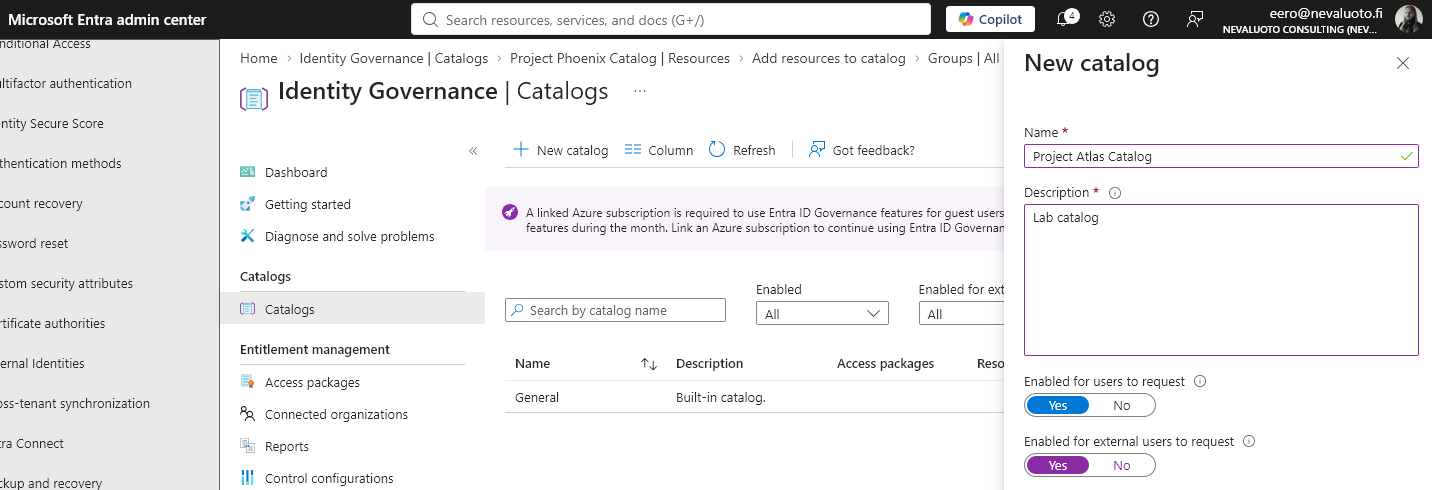
- Entra admin center → ID Governance → Entitlement management → Catalogs → + New catalog.
- Name:
Project Atlas Catalog, enabled for users to request. I also allowed external users to request against it, mostly to see how that option behaves. - Inside the new catalog → Resources → + Add resources → add the
Project Atlasgroup/Team. Because it’s a group-connected Team site, its SharePoint site comes along for the ride automatically.
Creating the access package
- Inside the catalog → Access packages → + New access package.
- Basics: name
Contractor - Project Atlas, with a description spelling out the scope, something like “Grants Project Atlas Team + SharePoint access for contractors, 90-day expiration.” - Resource roles: add the
Project Atlasgroup with role Member. This one line is what actually grants the Team and site access, everything else in the package is scaffolding around it. - Requests tab:
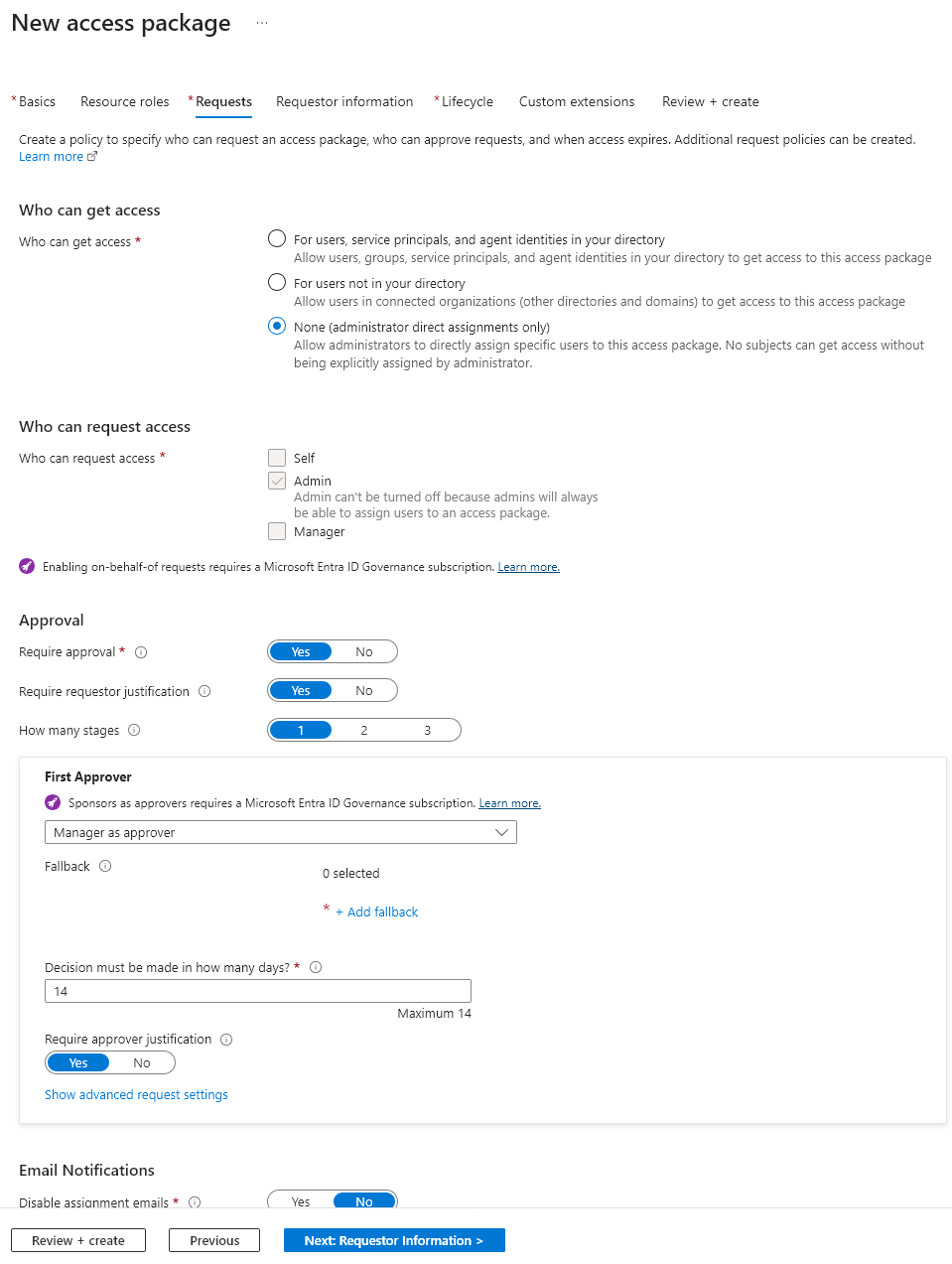
- Who can get access: For users, service principals, and agent identities in your directory, on the assumption that both internal accounts and previously invited external users might need this. In a real tenant I’d scope this a lot tighter to whatever the project actually needs.
- Who can request access: Admin is force-selected and can’t be removed, but Self has to be added explicitly for the user to actually see and request the package themselves.
- Require approval: Yes.
- Require requestor justification: Yes.
- Manager as approver stays selected, but I added myself as the fallback approver, which Entra requires anyway.
- Requestor information: added a custom question, “Which project engagement is this for?”
- Lifecycle tab:
- Expiration: Number of days, set to 90 to match the realistic scenario. I’m not actually waiting 90 days for this lab, more on that in a bit.
- Require access reviews: Yes, every 3 months, reviewer set to approver or resource owner. This is the part that turns “access expires eventually” into “access gets periodically re-justified,” which is the actual governance angle here.
- Create the package.
Requesting and approving access
Time to switch hats and sign in as Wayne.
- Sign in as the test user at myaccess.microsoft.com.
- Find
Contractor - Project Atlasunder available access packages and click Request. - Answer the custom question, enter a justification, submit.
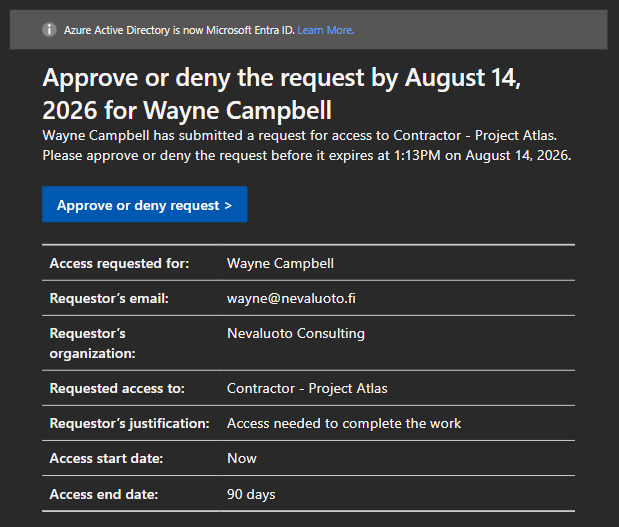
As the approver (and the fallback approver, since that’s also me), I got an email about the request, and it also shows up under the access package’s Requests section in Entra. Approving it, though, still has to happen through myaccess.microsoft.com, under Approvals, not through Entra itself. Set the decision to Approve, add a reason, done.
Verifying the grant
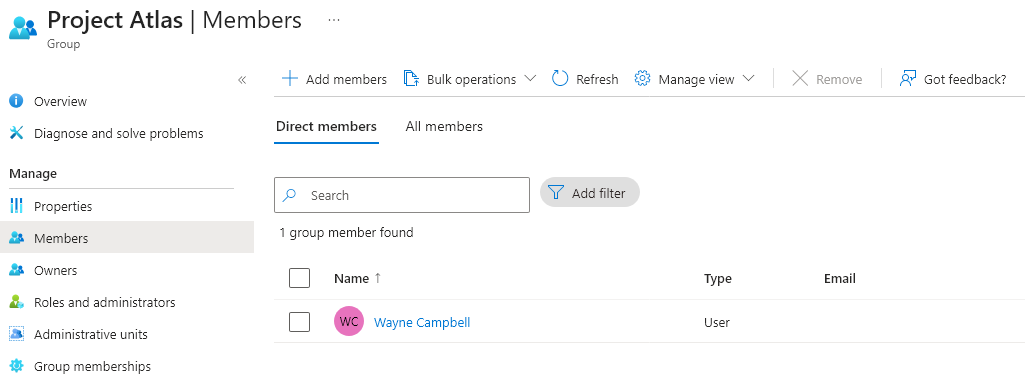
Quick sanity check from the admin side first: Entra → Groups → Members shows Wayne now sitting in the group. Then, as Wayne, I checked whether the SharePoint site itself actually works, not just the group membership.
And it did, cleanly: signed in as Wayne, could open the site, and could create and upload files into Documents, exactly as expected.
Access review and access expiration
The access review cadence was already configured back in the Lifecycle tab, but I ran a manual one here too, mostly because I also needed to manually trigger the revocation for the lab rather than sitting around for three months.
- ID Governance → Access reviews → New access review.
- Review access to a resource type → Teams + Groups.
- Scoped to all users, one-time review starting today, three-day duration.
- There’s a genuinely large set of options here around inactive users and how their access should be treated, none of which do anything meaningful in a lab tenant that’s a couple days old, but it’s easy to see how they’d matter in a real environment with actual usage history.
- The review itself didn’t tell me anything interesting, since there was nothing to find, but the mechanism behind it is clearly there and working.
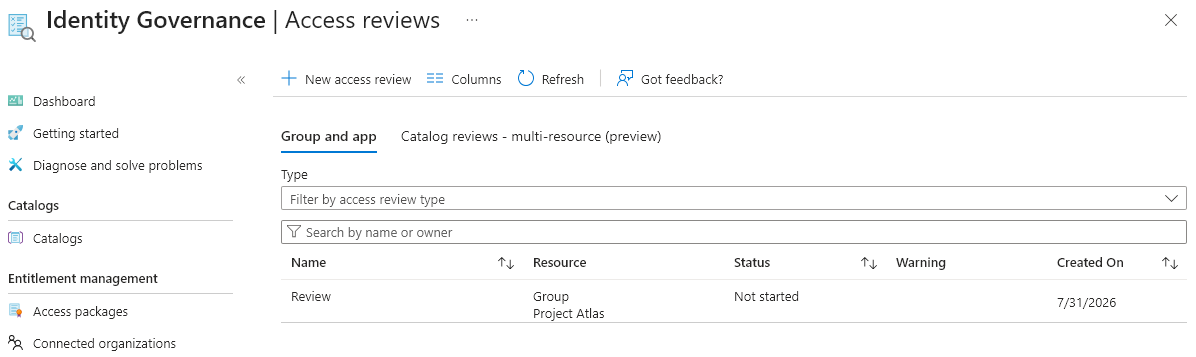
Once again, the actual review has to be completed via myaccess.microsoft.com rather than Entra, and it gets emailed to me the same way the approval did. That routing makes sense in principle, since access reviews are meant to be completed by whoever actually owns the resource or the relationship, not necessarily someone who lives in Entra day to day. Still, as the person who set the whole thing up, it’s a bit of an odd feeling to not be able to just finish it where I started it.
To actually simulate expiration, rather than waiting out the real 90-day window, I just removed the access package assignment from Wayne directly. Sure enough, he dropped out of the group membership as a result. It wasn’t instant, though: it took a few minutes for the removal to actually take effect, and during that window he could still make changes to files on the site. Worth keeping in mind if you’re relying on an access cutoff being immediate.
Conclusion
This one’s worth using for real. The setup cost, one catalog and one access package, isn’t much heavier than manually adding someone to a group and a Team, but it buys self-service requests, an approval trail, a justification on record, a recurring access review, and an actual expiration that doesn’t depend on anyone remembering to do offboarding manually. For contractors specifically, where the whole relationship is often already time-boxed, that last part alone is worth the setup.
The one recurring friction point across this entire lab, and honestly it stood out again here more than it did with PIM, is that approvals and access reviews both live behind myaccess.microsoft.com rather than Entra itself. It’s the correct design for who’s actually meant to use that portal, project managers and resource owners rather than IT, but as someone doing all of this from the admin side it means constantly switching contexts to finish something I started somewhere else.
The delay between removing the assignment and access actually being cut is also worth flagging if you’re building any kind of “access ends here, no exceptions” story around this: functionally it works, but it’s not instantaneous, and content changes were still possible for a short window after the assignment was gone.