
How good and up-to-date is your documentation? Yeah, I thought so. Especially at home it’s all just scattered notes that may or may not have any functional and up-to-date information, and trying to keep it all organized has always been a challenge. LLM-augmented wiki isn’t exactly a groundbreaking idea, but I thought it’s very much worth looking into right now.
I run a WikiJS instance for internal docs, and like most homelab wikis, the actual content on it was sparse to nonexistent. Writing it by hand never survived contact with “I’ll do it this weekend”, so the experiment was: what if I gave Claude Code with Sonnet 5 read-only access to my services and just let it query the APIs, structure the content, and publish straight to WikiJS. This is how that went.
Setting Up the Agent
The idea is simple on paper. I built a custom agent, wiki-agent-home, that knows how to authenticate against WikiJS’s GraphQL API and create or update pages. Point it at a service, and it follows a consistent loop: authenticate, query every endpoint it can reach for inventory, plan a page hierarchy, publish with cross-links to related pages, then report back with URLs and anything it thought was worth flagging.
That last part is something I’ve found useful in prior agentic workflows, so it was something I wanted to have included from the get go.
Proxmox: Read-Only First
Before touching anything, I wanted to make sure the agent couldn’t accidentally change configuration on a host that runs, well, everything else. So for Proxmox this meant a dedicated auditor account rather than reusing my own credentials:
1
2
3
Created a `claude-wiki` user in the PVE realm
Assigned the built-in PVEAuditor role at / with propagation enabled
Generated an API token, no password attached, easy to revoke
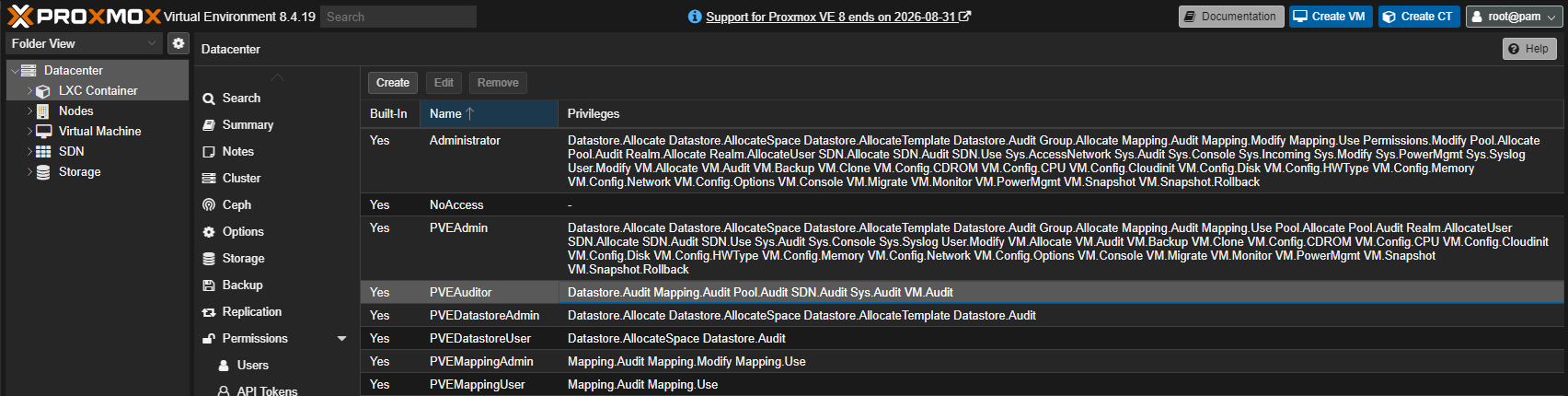
Token-based auth is about as clean as automation gets here: it goes into an HTTP header and the account is structurally incapable of modifying anything, as PVEAuditor just doesn’t have write permissions. Once that was live, the agent queried the API and came back with a full inventory: one host, arashio, running Proxmox 8.4 (yes, yes, I’ll get to it) with 231 days of uptime, 26 LXC containers (9 running), and 2 VMs, both stopped. It also noticed the backup share on a smaller NAS was sitting at 97% capacity, which I’m sure is the pain that many can relate to.
Beyond the inventory page, it also wrote up an SOP page documenting exactly how the auditor account was set up, so future me (or anyone else touching this) has the steps without having to reconstruct them from memory. That’s the kind of documentation that realistically never gets written otherwise.
Nginx Proxy Manager: A Permissions Detour
I use NPM to make things a bit nicer and cleaner, and while it’s not setup to be fully automated across all of my devices it’s a good training ground.
NPM exposes a REST API, so this should have been the easy one. First attempt came back empty, a permissions issue on the account I’d set up. Not the agent’s fault, but also not something it could fix on its own, it just reported the empty result cleanly rather than pretending it had data. I fixed the account permissions by granting it view-only access to all content instead of only the content it would have created if it had that access, re-ran it, and got the real numbers: 25 proxy hosts and 13 SSL certificates.
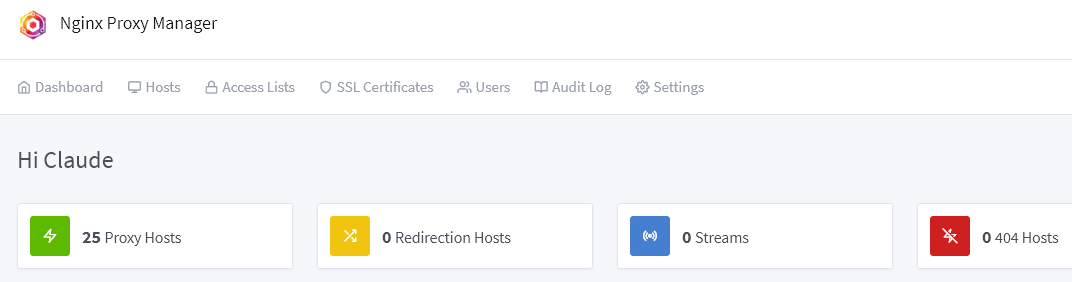
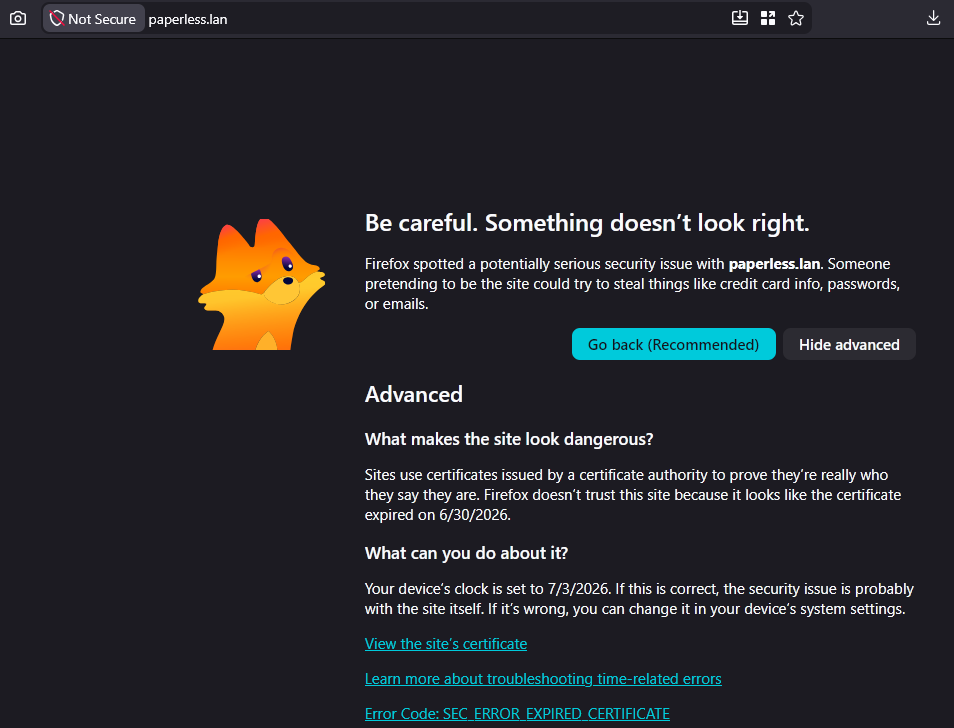
The interesting part came for free. The agent flagged that 5 certificates had expired, 3 of them on proxy hosts that were still actively routing traffic. Now this isn’t really an issue with a single user environment, and it’s not like the encryption wouldn’t still be working regardless, but considering that eventually I would like to start doing this type of documentation automation within a real production environment these are good catches.
It also cross-linked the NPM page back to the Proxmox inventory, noting which LXC container NPM actually runs in, without me asking for that connection to be made.
Omada: The Network Deep Dive
The network side was the most interesting piece, and also where things got slow. The agent hit the Omada SDN controller API (TP-Link’s network management software running in a Docker container) and pulled every network device, gateway, PoE switch, wireless AP, along with 5 network segments including several VLANs, 6 WiFi SSIDs with their security modes, VLAN assignments and visibility settings, and the WAN configuration.
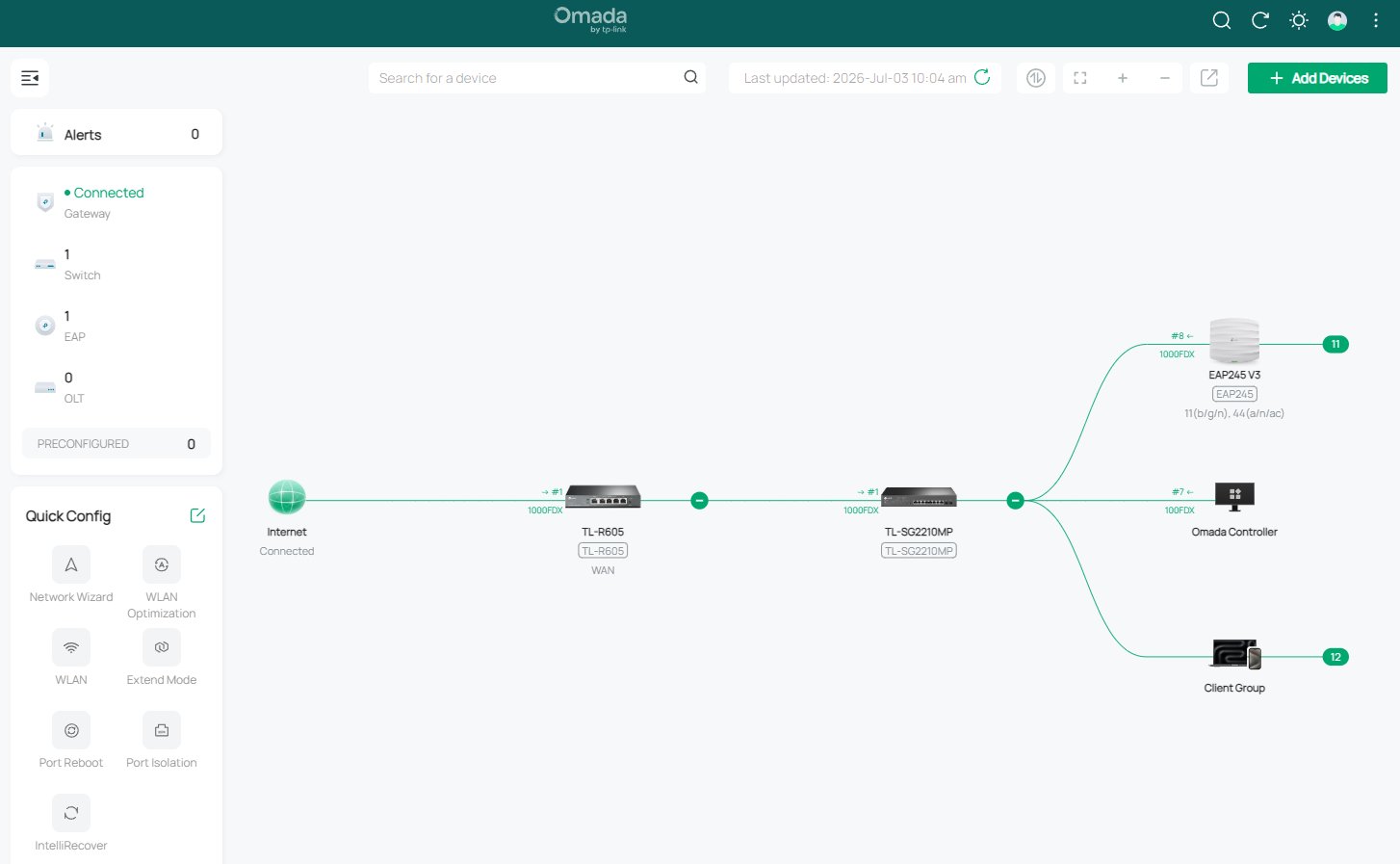
That data turned into three separate pages: a network overview, a WiFi-specific page, and a firewall/port forwarding page. The firewall page is only partially filled in, the read-only Omada role doesn’t expose those endpoints. Rather than leaving a blank page, the agent left placeholder sections noting the correct API paths for when admin access is available, which is a reasonable way to handle a gap it couldn’t close itself. It also flagged a pending firmware update on the gateway, again unprompted.
This is also where I hit the one real technical snag: the Omada inventory ran for nearly 9 minutes across 29 API calls, and the first attempt got truncated partway through. Resuming the agent from its own transcript picked it back up fine, but it’s worth knowing going in that larger inventories can outrun a single run. Of course even with this happening this approach is way, way faster than doing it by hand even with verification included.
What Actually Worked
A few things stood out enough to call out on their own:
- Read-only by design paid off. Minimal credentials everywhere meant there was never a risk of the agent changing something by accident, and it made the whole access model easy to reason about afterward.
- Cross-linking happened without being asked. The agent built bidirectional links between the Proxmox and NPM pages, and tied the network pages together, on its own.
- Findings surfaced naturally. Expired certs, a nearly-full backup volume, a pending firmware update, none of these were things I asked it to look for. They came out of the agent actually reading the data instead of just transcribing field names into a table.
- SOPs got written alongside inventory, which is the kind of documentation debt that otherwise just accumulates forever.
None of that means it was frictionless. The NPM permissions issue needed a human to fix, scope-limited APIs like Omada’s viewer role leave real gaps rather than working around them, and long jobs can time out. The agent handled all three gracefully, but “handled gracefully” still means I had to notice and step in twice, which may sound like nitpicking, but until the whole workflow has been thoroughly tested it cannot be expected to run smoothly from start to end on its own.
Conclusion
Six wiki pages published in almost one fell swoop, covering Proxmox inventory, an SOP for the auditor setup, NPM’s proxy hosts and certificates, network devices and VLANs, WiFi SSIDs, and a partial firewall page. Most of that time was just waiting on the agent, the actual back-and-forth on my end was short: describe what to inventory, hand over credentials (should probably find a real way to store the secrets though, even if they are read-only), fix the occasional access issue.
I’m keeping this workflow. The pages are consistently formatted, properly cross-linked, and contain findings, the expired certs especially. Next up is running the same approach against Unraid and Gitea, and eventually setting up a scheduled run so the wiki updates itself weekly instead of only when I remember to kick it off.